Tone and Voice
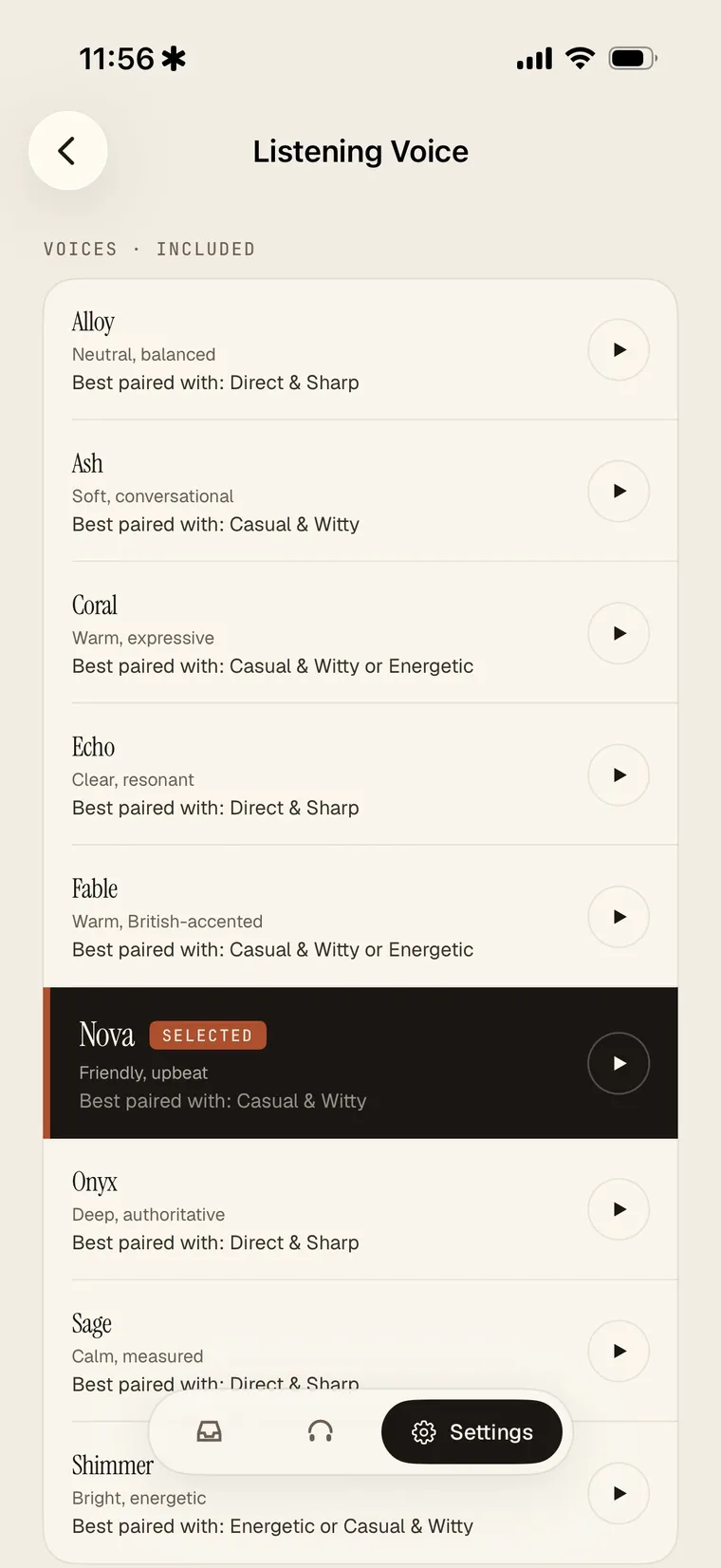
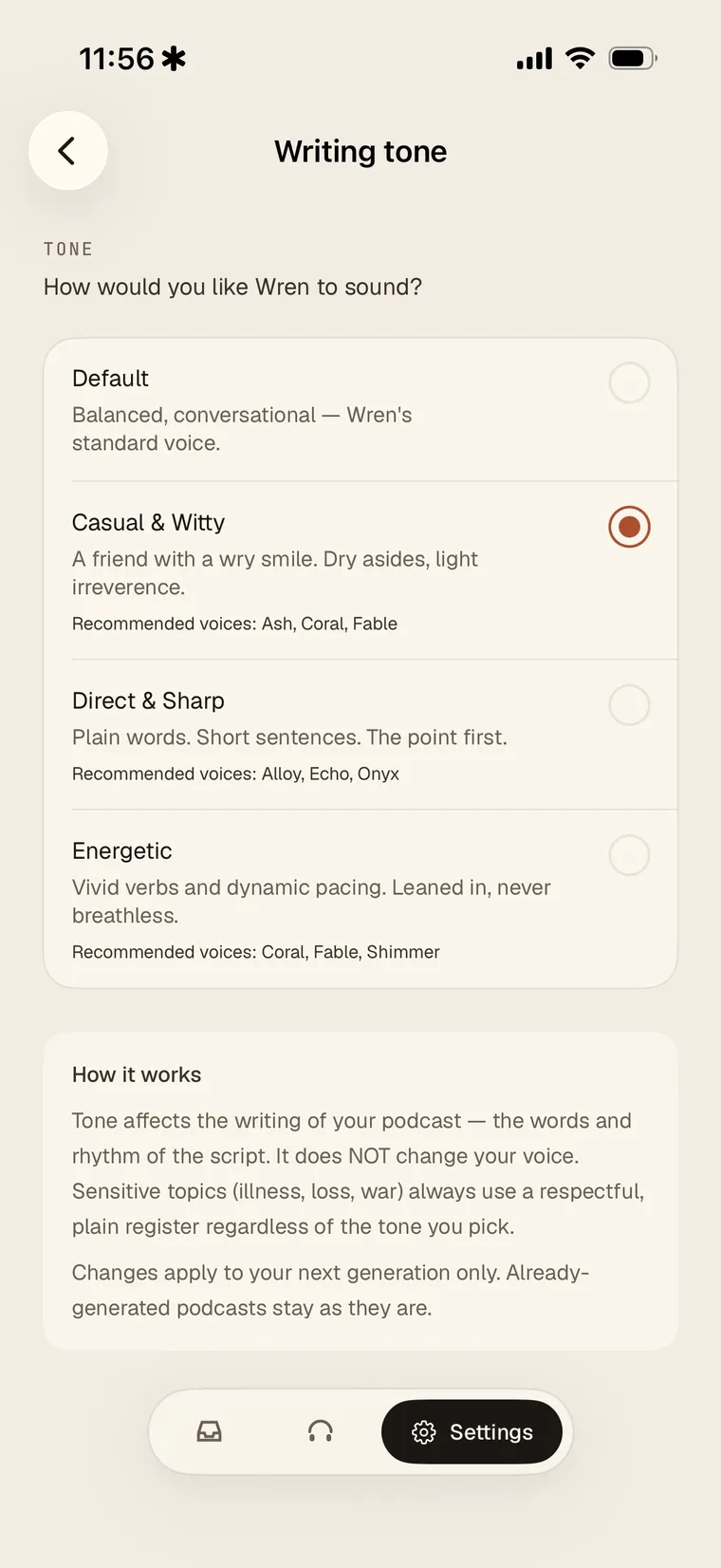
Wren lets you shape both what the narration sounds like and who reads it.
Tone
Set a writing tone to steer how your episodes are written. Choose from Default (balanced, conversational), Casual & Witty, Direct & Sharp, or Energetic. Tone changes the words and rhythm of the script; it does not change the voice. Sensitive topics always use a respectful register regardless of the tone you pick. Changes apply to your next episode.
Voice
Choose the narrator voice that reads your episodes. Preview any voice before you choose, and each one shows the tone it pairs best with.
- Free includes a selection of standard voices.
- Pro unlocks premium narrator voices with a more natural delivery.
Your selection applies to the next episode Wren builds.